# Super Connect documentation
Super Connect lets your users connect their accounts on services such as
GitHub, Slack or Google to your product, and lets your backend call those
services on their behalf without handling OAuth tokens yourself. You configure
providers in the admin panel at https://super-connect.dogar.biz, drop a modal
into your frontend, and call the API from your backend with one key.
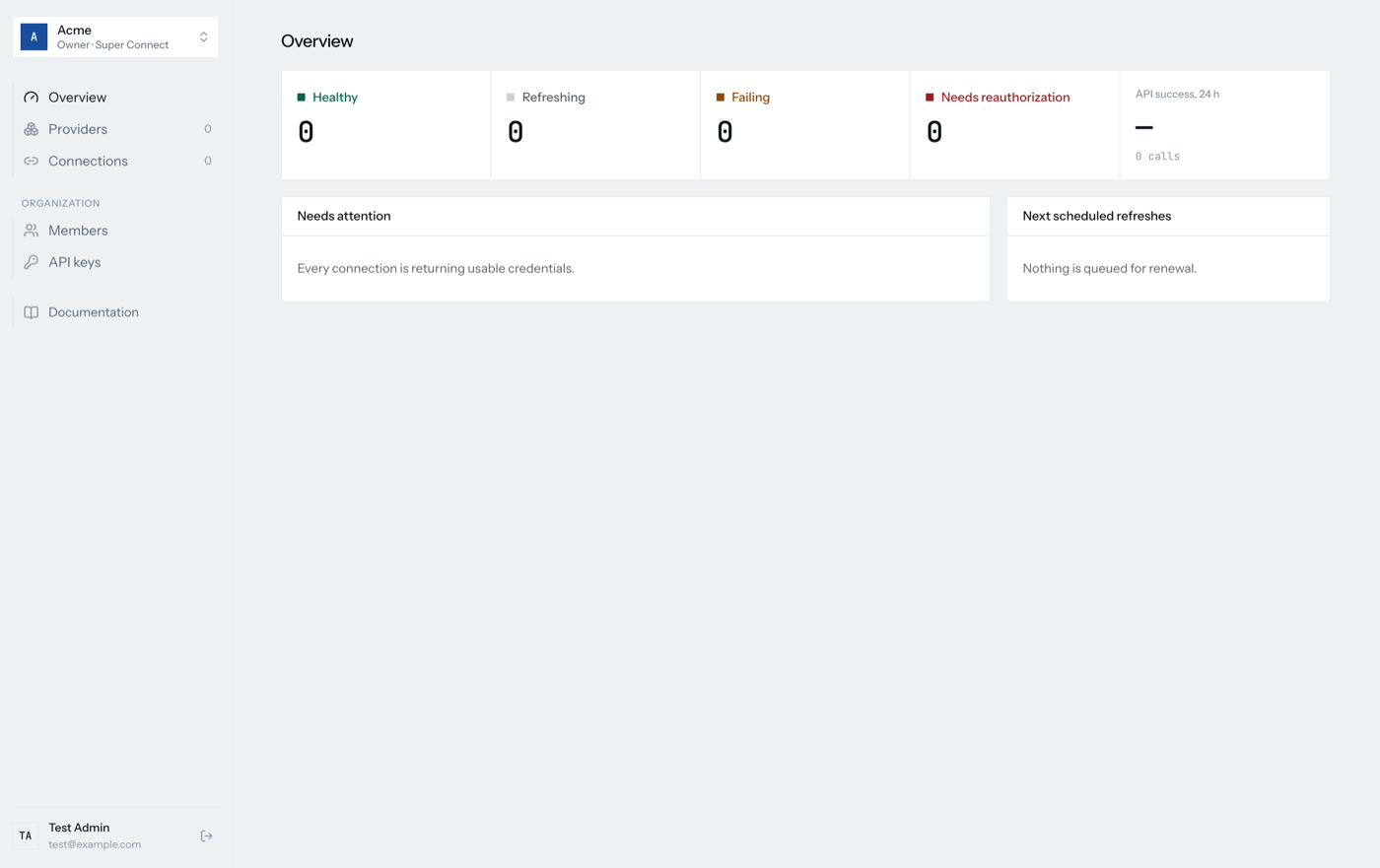
## Start here
| I want to… | Read |
| ---------------------------------------------------------- | ----------------------------------------------- |
| Sign up, set up my organization and connect a first user | [Getting started](tutorials/getting-started.md) |
| Understand what a provider, integration and connection are | [How it works](explanation/architecture.md) |
## How-to guides
- [Add a provider](how-to/add-a-provider.md)
- [Manage your organization](how-to/manage-your-organization.md)
- [Handle connection errors](how-to/handle-connection-errors.md)
- [Receive webhooks](how-to/receive-webhooks.md): `auth` events about connection health
- [Receive provider events](how-to/receive-provider-events.md): Slack and GitHub webhooks forwarded to you
- [Coding agent setup](how-to/coding-agent-setup.md): a skill and llms.txt for Claude Code, Cursor and others
## Reference
- [SDKs](reference/sdks.md): `@super-connect/client` and `@super-connect/connect`
- [HTTP API](reference/http-api.md)
- [Settings](reference/settings.md): provider, integration and session fields
---
# How it works
This document explains how Super Connect is put together and why. Read it to
get a mental model before integrating.
## The four nouns
```mermaid
flowchart LR
P[Provider
OAuth protocol or API key header + API host] --> I[Integration
your OAuth client + scopes]
I --> C[Connection
one user's grant]
C --> V[Invocation
one proxy call or action]
```
- A **provider** describes how to authorize and the single HTTPS `apiBase`
every request must stay under. For OAuth 2: authorization and token
endpoints, PKCE, how client credentials are sent, where the token lives in
the response. For API keys: the header the key travels in and the field the
connect sheet asks for. Providers carry no secrets.
- An **integration** binds a provider to one OAuth client: encrypted client ID
and secret, the scope string, an optional webhook destination, and the
receive URL and inbound secret that provider webhooks arrive with. Several
integrations can share a provider with different clients or scopes. API key
providers need no client.
- A **connection** is one end user's grant against one integration: encrypted
access and refresh tokens, expiry, granted scopes and refresh lifecycle
facts, or one encrypted API key that is never refreshed. Its ID is stable
across refresh and reauthorization.
- An **invocation** is a log row for one proxy request or action run.
Configuration is split from credentials on purpose. Endpoint mistakes can be
corrected without rotating secrets, and secrets can rotate without touching
protocol details.
## Organizations are the tenancy boundary
Every table above carries `organization_id`. An organization is a customer
company from the Better Auth `organization` plugin. It owns its providers,
integrations, connections, connect sessions, OAuth states, webhook events,
invocations and API keys.
The organization is derived once per request:
1. An `Authorization: Bearer sc_…` header is verified by the Better Auth
`apiKey` plugin, whose `referenceId` is the organization.
2. Otherwise the session cookie must carry an `activeOrganizationId` and a
membership row.
No URL contains an organization. The credential implies it, so a key from one
organization cannot name another organization's resources even by guessing
IDs; the query simply finds nothing and the route answers `404`.
End users are a separate axis. Your backend creates each one through
`POST /api/v1/users` with its own id; Super Connect keeps them as Better Auth
users with an `end_user` membership that no dashboard or API route accepts.
`X-User-Id` names one by that id on connection routes. It is required with
an organization key because a key alone would otherwise let any connection
ID reach a provider.
Operators are platform users with `user.role = 'admin'` from the Better Auth
`admin` plugin. They enter an organization by impersonating a member, so
tenancy resolution never has a special case for them.
## Request dispatch order
Requests are matched in a fixed order. The order is the security model:
1. `/api/auth/*` → Better Auth
2. `/health`
3. `/oauth/start`, `/oauth/callback` → browser routes, authorized by the
`state` row and a browser cookie
4. The `/api/v1` prefix is stripped. Anything else at the root other than
`/proxy/*` answers `404`, so the SPA owns the remaining paths
5. `/connect/session*` → authorized by the connect session token
6. `/operator/*` → authorized by an operator session
7. **Organization resolution** happens here. Everything after it is
organization-scoped.
8. Providers, integrations, connect sessions, connections, actions,
invocations
9. `/proxy/:id/*` as the fallthrough
Anything that does not match answers `404`. Thrown `TenantError` and
`ConfigError` map to their status; anything else is `500`.
## Presets are read-only until used
Super Connect ships a few hundred built-in providers.
`GET /api/v1/providers` lists only the organization's own rows. A preset becomes a
row only when the organization saves it or an integration references it. Deleting a never-saved preset is `404` because there is
nothing to delete.
This keeps the catalog free to update without migrating every organization,
while a saved copy protects an organization from upstream changes.
## Connect sessions and the hosted page
The browser never sees an organization key. Instead:
```mermaid
sequenceDiagram
participant B as Backend
participant F as Frontend
participant U as Connect UI (iframe)
participant W as Super Connect
participant P as Provider
B->>W: POST /api/v1/connect/sessions
W-->>B: token, connectLink
B-->>F: token
F->>U: openConnectUI, setSessionToken
U->>W: GET /api/v1/connect/session
U->>W: POST /api/v1/connect/session/authorize
W-->>U: handoff URL
U->>P: popup: /oauth/start then consent
P->>W: /oauth/callback?code
W-->>U: callback page posts result
U-->>F: connect { connectionId }
```
A session is scoped to one end user, an optional integration allowlist and a
lifetime. Only its hash is stored, and it is consumed on a successful
callback. A session minted with `connectionId` runs in reauthorize mode and
inherits the connection's owner and integration, so it cannot be widened.
Consent opens in a popup because most providers refuse to be framed. The
callback renders HTML rather than JSON so it can post to its opener and still
read sensibly when a connect link is opened standalone.
## OAuth state and browser binding
`/api/v1/connect/:integrationId` and `authorize` create an `oauth_states` row with a
random `state`, the redirect URI, an optional PKCE verifier and a ten-minute
expiry. `/oauth/start` claims the row for one browser by storing a hashed
cookie value; a second browser gets "already used". `/oauth/callback` checks
the cookie, deletes the row atomically, and only then exchanges the code.
## Token lifecycle
```mermaid
stateDiagram-v2
[*] --> healthy: consent completed
healthy --> failing: refresh fails
failing --> healthy: refresh succeeds (recovery)
failing --> needs_reauthorization: fourth failure day
needs_reauthorization --> healthy: user reauthorizes (override)
```
`refreshing` is an overlay, true whenever a refresh lease is active.
Two things trigger a refresh: the ten-minute cron sweep, which picks
connections whose `next_refresh_at` has passed (15 minutes before expiry, or
24 hours after the last refresh, whichever is sooner), and a proxy request
that finds the token within 15 minutes of expiry.
Both go through the same refresh routine, which:
1. dedupes concurrent callers in-process with an `inFlight` map
2. takes a 30-second lease with a conditional `UPDATE … WHERE refresh_until <
now AND access_token = ?`, so only one isolate refreshes
3. exchanges the refresh token and writes back under the same lease
4. on failure records the error, schedules the next attempt for tomorrow, and
counts one attempt per UTC day; the fourth day sets `refresh_exhausted`
A proxy caller that meets a live lease waits up to 12 seconds, then answers
`409 connection_refresh_backoff`.
Health is never stored. It is derived from `refresh_until`, `refresh_exhausted` and
`last_refresh_failure`, so it cannot drift from the facts.
## Webhook outbox
Refresh failures, recoveries and reauthorizations insert a `webhook_events`
row in the same D1 batch as the connection update, guarded by the value that
update wrote. The exact body is persisted before delivery, so retries send
identical bytes. Delivery is attempted immediately via `waitUntil` and
again by the cron sweep. Events for one connection go out in `sequence`
order; a stuck event blocks only its own connection.
## Inbound webhooks
Each integration owns a public receive URL, `/webhook/`, and one
encrypted inbound secret. A provider POST is verified against that secret by
the webhook adapter of the provider's template, `src/catalogs//webhook.ts`,
which is carried through the catalog port. Its `receive` is a pure function
over the raw body and headers that either answers a handshake itself, rejects
the request, or identifies the event. The provider is answered at that point.
Then, in `waitUntil`, the adapter's `recipients` sees every connection of the
integration with its `metadata`, filled either from a provider-declared
token-response allowlist, such as Slack's `team.id` and `authed_user.id`, or
by the customer over the API, as GitHub's repository and organization IDs
are, and returns the connections to forward to. The log row and one outbox
row per recipient are written in one batch, so a slow customer endpoint
cannot cost the provider its acknowledgment. No recipients, or an adapter
that throws, forwards nothing; there is no forward-to-everyone fallback
([ADR 0001](../adr/0001-webhook-adapters-live-in-catalog-folders.md)).
Every received request is logged in `inbound_webhooks`, verified or not. The
raw body is kept for seven days and then nulled by the cron sweep; the rows
stay.
## Proxy and actions
One request path is the only way to reach a provider.
It resolves the target against `apiBase`, rejects anything that leaves the
origin or path prefix, refreshes if needed, injects the bearer token, and
never follows redirects.
The proxy forwards the caller's request through it with a fixed header
allowlist. Actions call it through a small adapter that validates input with the action's Zod schema, runs `exec`
under a 30-second wall clock and a 50-subrequest cap, validates the output,
and returns a discriminated `ActionResult`. `actionResponse` maps each result
code to an HTTP status.
Catalogs load lazily per template through dynamic `import()`, so a Worker
that never touches Slack never parses Slack's actions.
## SDKs
`@super-connect/client` wraps every management route. On a backend it sends
the organization key; in a browser without a key it sends the session cookie.
The admin panel uses this same package, so the shipped client is the one the
product exercises.
`@super-connect/connect` is the browser side of the connect flow:
`openConnectUI` for the modal, `createSessionClient` for a custom picker
against the two session routes.
Both packages are dependency-free and resolved from source in this repository
through `tsconfig` paths and a Vite alias.
## What is deliberately not here
- Provider-specific auth beyond OAuth 2 authorization code with bearer
tokens. Unknown provider options are rejected rather than ignored.
- Revocation at the provider on disconnect.
- Crash-safe token rotation across the provider and database writes.
- Inbound webhooks for providers other than Slack and GitHub, and managed
subscriptions such as Google Calendar watch channels, which belong with the
sync work that needs them.
---
# Add a provider
A provider is a service your users can connect, either through OAuth 2 or by
pasting an API key. This guide covers adding one from the built-in list,
adding one that is not listed, and the cases that need extra settings.
## From the built-in list

1. **Providers → Add provider**, search, pick the service.
2. Fill **Client ID**, **Client secret** and **Scopes** from your OAuth app.
3. **Add provider**.
The callback URL to register with the OAuth app is shown under **Delivery &
callback** in the same dialog and is always:
```
https://super-connect.dogar.biz/oauth/callback
```
Providers marked with an action template also expose typed actions after you
save them.

## A provider that is not listed
Choose **Add provider**, then start from an empty form. You need four things
from the service's OAuth documentation:
| Field | What to enter |
| ----------------- | -------------------------------------------------------------------------- |
| Authorization URL | Where the user is sent to consent, for example `https://…/oauth/authorize` |
| Token URL | Where the code is exchanged, for example `https://…/oauth/token` |
| API base URL | The API host every request must stay under, ending in `/` |
| PKCE | On if the service supports S256 PKCE. Leave on unless it breaks |
All three URLs must be HTTPS with no query string. Put authorization query
options such as `access_type=offline` into **Authorization parameters**, one
`key=value` per line.
OAuth 2 authorization code with bearer tokens and API keys are supported.
OAuth 1, GitHub App installation tokens and custom token formats are not.
## Services that use an API key
Pick the service from the list, or set **Authentication** to "API key pasted
by the user" on a custom provider and fill in:
| Field | What to enter |
| ----------------- | ------------------------------------------------------------------------------ |
| API base URL | The API host every request must stay under, ending in `/` |
| Header name | The header the key travels in, for example `authorization` |
| Header format | Its value with `${apiKey}` in place of the key, for example `Bearer ${apiKey}` |
| Field title | What the connect sheet calls the key |
| Field description | Where the user finds it |
| Expected pattern | Optional regular expression; keys that do not match are refused |
No client ID, secret or scopes are needed. Your users paste their own key in
the connect sheet, or your backend sends it through
`POST /api/v1/connect/:integrationId`. The key is encrypted like an access
token, never refreshed, and can be replaced in place through the same route or
a reconnect link.
## Slack user tokens
Slack puts user tokens under `authed_user` and expects the scope parameter to
be `user_scope`. The built-in Slack entry sets both. If you build Slack by
hand, set **Scope parameter** to `user_scope`, **Token response path** to
`authed_user`, and leave **Refresh response path** empty.
## Services that send credentials as Basic auth
Some token endpoints refuse credentials in the body. Set **Token client
authentication** to `basic`.
## Several OAuth clients for one service
You cannot yet attach two OAuth clients to one provider from the admin panel.
Use the API instead: keep one provider and save a second integration with a
different ID and credentials through `PUT /api/v1/integrations/:id`. See
[HTTP API → Integrations](../reference/http-api.md#integrations).
## Editing and deleting
Editing a provider changes the settings used by every connection under it.
Endpoint changes take effect on the next token refresh, so double-check them.
Deleting is refused while connections exist. Disconnect them first from
**Connections**. Disconnecting removes the stored tokens only; revoke the
grant in the provider's own settings if you need it gone there too.
---
# Coding agent setup
Let Claude Code, Cursor, Codex or another coding agent integrate Super
Connect into your app. Two things make that work: a skill that teaches the
agent the connection flow, and plain-text docs it can read on its own.
## Skill
The skill covers the backend session endpoint, the connect modal, saving the
connection ID, the proxy and typed actions, error codes, reauthorization and
webhooks. It ships inside `@super-connect/client`, so the guidance matches
the SDK version you installed. [TanStack Intent](https://tanstack.com/intent)
finds it in `node_modules` and loads it when a task needs it.
### 1. Install the SDK and Intent
```sh
npm install @super-connect/client
npm install -D @tanstack/intent
```
### 2. Allow the skill
Intent only surfaces skills from sources you list in `package.json`:
```json
{
"intent": {
"skills": ["@super-connect/client#integrate-super-connect"],
"exclude": ["*#experimental-*"]
}
}
```
`skills` is the allowlist. The `package#skill` entry permits this one skill;
a bare `@super-connect/client` also permits skills added in later releases.
`exclude` applies after the allowlist and always wins. Add entries with
`npx intent exclude add [#]`.
Allowing a skill does not approve its text, which can change when you
upgrade. Read the skill diff as part of the upgrade:
```sh
npm diff --diff=@super-connect/client@0.4.0 --diff=@super-connect/client@latest skills
```
### 3. Tell the agent to load it on demand
```sh
npx intent list
npx intent install
```
`list` shows the skills your policy permits. `install` writes an
`intent-skills` block into `AGENTS.md`, or into an existing `CLAUDE.md`,
`.cursorrules` or `.github/copilot-instructions.md`. The block tells the
agent to run `intent list` before a substantial task and `intent load` only
for a matching skill, so Super Connect guidance enters the context for
connection work and stays out otherwise. Check what the agent receives:
```sh
npx intent load @super-connect/client#integrate-super-connect
```
Intent reads installed packages as files. It never imports or runs code from
the packages it scans.
### Optional: editor hooks
```sh
npx intent hooks install --agents claude
```
Hooks add a skill catalog at session start and block supported edit tools
until the agent runs `intent list` or `intent load`. They are a convenience,
not a security boundary: a hook sees that a command started, not that it
succeeded or that the agent followed the skill, and other ways of changing
files are not gated. Control what reaches the agent with `intent.skills` and
`intent.exclude`, and review its changes as usual.
### Without npm
The [skills](https://github.com/vercel-labs/skills) CLI copies the skill
from the `main` branch, which can be ahead of the SDK version you run:
```sh
npx skills add mertdogar/super-connect --full-depth -s integrate-super-connect
```
| Agent | Project path | User-wide path |
| -------------- | ----------------- | ---------------------------- |
| Claude Code | `.claude/skills/` | `~/.claude/skills/` |
| Cursor | `.agents/skills/` | `~/.cursor/skills/` |
| Codex | `.agents/skills/` | `~/.codex/skills/` |
| OpenCode | `.agents/skills/` | `~/.config/opencode/skills/` |
| GitHub Copilot | `.agents/skills/` | `~/.copilot/skills/` |
Without the CLI, copy `packages/client/skills/integrate-super-connect` from
https://github.com/mertdogar/super-connect into the path above.
## API key
Create a key under **Organization → API keys** and store it as
`SUPER_CONNECT_API_KEY` in your backend's secret store. Do not paste it into
a prompt, an `AGENTS.md` or any file the agent commits.
## Prompt the agent
Add at least one provider under **Providers**, then describe the feature:
> Let signed-in users connect their GitHub account with Super Connect and
> list their repositories on the settings page.
The skill tells the agent to reuse your existing user model and HTTP
framework, keep the key on the backend, and verify the flow end to end before
finishing. Review the result against
[Getting started](../tutorials/getting-started.md).
## Docs for agents
| Tool | URL | Purpose |
| --------------- | --------------------------------------------------------------------------------------------------- | ----------------------------------------- |
| `llms.txt` | https://super-connect.dogar.biz/docs/llms.txt | Compact index of every docs page |
| `llms-full.txt` | https://super-connect.dogar.biz/docs/llms-full.txt | Full docs text for one context window |
| Markdown source | https://github.com/mertdogar/super-connect/tree/main/docs | The same pages as files |
| Skill source | https://github.com/mertdogar/super-connect/tree/main/packages/client/skills/integrate-super-connect | `SKILL.md`, `REFERENCE.md`, `EXAMPLES.md` |
Point an agent at `llms-full.txt` when you want it to answer questions about
Super Connect without installing the skill.
---
# Handle connection errors
Use this guide when a proxy request or action stops working for a connection
that used to work. It covers what each error means and what your backend should
do.
## Read the health first
`GET /api/v1/connections/:id` and `GET /api/v1/connections` return a derived `health`:
| Health | Meaning | Your move |
| ----------------------- | ---------------------------------------------------------------- | -------------------------------- |
| `healthy` | No unresolved refresh failure | Nothing |
| `refreshing` | A refresh lease is active right now | Retry shortly |
| `failing` | Last refresh failed; automatic retries continue once per UTC day | Watch, or prompt reauthorization |
| `needs_reauthorization` | Four failure days exhausted, or the token has no refresh token | Reauthorize |
```mermaid
stateDiagram-v2
healthy --> failing: refresh fails
failing --> healthy: refresh succeeds
failing --> needs_reauthorization: fourth failure day
needs_reauthorization --> healthy: user reauthorizes
```
Health is computed from lifecycle facts, never stored, so it is always
current. Filter with `?health=needs_reauthorization` to find every connection
that needs a user.
## Map proxy and action errors
Proxy requests and actions share the same connection error responses.
| Status | Body `error.code` | Cause | Your move |
| ------ | ------------------------------ | ---------------------------------------------------------- | ----------------------------------------- |
| 401 | `connection_refresh_exhausted` | Refresh attempts exhausted | Reauthorize. Body carries `connectionId`. |
| 409 | `connection_refresh_backoff` | A refresh is in flight, or one failed under 30 seconds ago | Retry after `Retry-After` (1 second) |
| 502 | `connection_refresh_failed` | The provider rejected the refresh just now | Retry later; if it persists, reauthorize |
| 404 | plain `error` string | Wrong connection ID or wrong `X-User-Id` | Check ownership |
Actions add their own codes. See
[HTTP API → Actions](../reference/http-api.md#actions).
## Reauthorize without losing the connection
Reauthorization replaces credentials in place. The connection keeps its ID and
owner, so nothing in your database has to change.
**Through the hosted page** (recommended): mint a session for the existing
connection instead of a user.
```sh
curl https://super-connect.dogar.biz/api/v1/connect/sessions -X POST \
-H "Authorization: Bearer $SUPER_CONNECT_API_KEY" \
-H 'Content-Type: application/json' \
-d '{"connectionId":"CONNECTION_ID"}'
```
The session's owner and integration come from the connection and cannot be
widened. Open the `connectLink`, or pass the `token` to `openConnectUI`. The
page shows `mode: "reauthorize"`.
**Low-level handoff**: `POST /api/v1/connections/:id/reconnect` returns a 30-minute,
one-use OAuth URL. Use it only when you already control the browser flow.
A successful callback resets every refresh column and emits an `auth` webhook
with `operation: "override"`. A declined consent leaves the stored connection
untouched.
## Retry rules for `backoff`
`connection_refresh_backoff` is temporary by design:
- Proxy requests wait up to 12 seconds for an in-flight refresh before
answering 409.
- A refresh failure holds the connection for 30 seconds before anything tries
again.
Retry once after the `Retry-After` delay. If you still get 409, check `health`
rather than looping.
## Watch for it proactively
Configure `webhookUrl` and `webhookSecret` on the integration to receive an
`auth` event for every refresh failure and recovery. See
[Receive webhooks](receive-webhooks.md). Failures arrive with
`success: false` and an `error.description` string from the provider.
---
# Manage your organization
## Invite teammates
1. **Organization → Members → Invite**.
2. Enter the email and pick a role.
3. Copy the invitation link from the pending row and send it yourself.
Invitations are not emailed.
The recipient opens the link, creates an account with the invited email, and
joins with the role you chose. An invitation is what allows that email to
sign up.

| Role | Can |
| -------- | --------------------------------------------------- |
| `owner` | Everything, including inviting other owners |
| `admin` | Manage providers, connections, members and API keys |
| `member` | View and operate; cannot manage API keys |
## API keys
**Organization → API keys** lists every key with its name and creation date.
A new key is shown once. Revoking a key takes effect immediately; requests
carrying it answer `401` from then on.
Create one key per system that talks to Super Connect, so revoking a
compromised deployment does not take down the others.
## Several organizations
One account can belong to several organizations. The switcher at the top of
the sidebar changes which one you are working in, and offers to create
another. Providers, connections and keys never cross that boundary.
## Leaving
There is no self-service delete for an organization yet. Remove members and
revoke keys, then contact the operator to remove the organization.
---
# Receive provider events
Get Slack and GitHub webhooks into your backend without holding a provider
signing secret or mapping provider accounts to your users yourself.
Each integration has a **receive URL**. Slack or GitHub posts to it, Super
Connect verifies the request with the integration's inbound secret, works
out which connections the event concerns, answers the provider within its
deadline, and then delivers the event to your integration's webhook URL as
a signed `forward` event. Every request, accepted or not, is logged on the
integration page in the admin panel.
Each provider template ships a **webhook adapter** that verifies its
requests, answers its handshakes and chooses which connections receive an
event. Slack and GitHub have adapters today. An integration on a provider
whose template has none has a receive URL that answers `404`. The API tells
you: `GET /api/v1/integrations` returns `webhooks` with the adapter's setup
instructions and the label of the secret it expects, or `null`.
Before you start you need an integration on the `slack` or `github` preset,
an organization key, and an HTTPS endpoint in your app. If your endpoint
does not yet verify Super Connect's signature, read
[Receive webhooks](receive-webhooks.md) first: `forward` events use the same
headers and signature as `auth` events.
## 1. Configure the integration
Forwarding needs two things on the integration: an **inbound secret**, so
requests from the provider can be verified, and a **webhook URL**, so
verified events have somewhere to go.
```sh
curl https://super-connect.dogar.biz/api/v1/integrations/slack -X PUT \
-H "Authorization: Bearer $SUPER_CONNECT_API_KEY" \
-H 'Content-Type: application/json' \
-d '{
"providerId": "slack",
"scopes": "channels:read chat:write users:read",
"webhookUrl": "https://app.example.com/super-connect/events",
"webhookSecret": "GENERATE_A_LONG_RANDOM_STRING",
"inboundSecret": "THE_PROVIDER_SIGNING_SECRET"
}'
```
The response carries `receiveId`. Your receive URL is
`https://super-connect.dogar.biz/webhook/`. In the admin panel,
open the integration and use the copy button under **Received**.
- `inboundSecret` is encrypted at rest and never returned. The integration
reports `hasInboundSecret` instead.
- Omit `inboundSecret` on an update to keep the stored value. Send `null` to
clear it. Without a secret every inbound request is rejected with `401`.
- `receiveId` is minted when the integration is created and does not change.
There is no rotation yet, so do not publish the URL.
## 2. Register the receive URL with the provider
### Slack
Slack calls the Request URL the moment you save it, so the secret must be in
place first. A request that arrives before the secret is saved is rejected
with `401`, and Slack marks the URL as failing.
1. In your Slack app, open **Basic Information** and copy the **Signing
Secret**.
2. Store it as the integration's inbound secret, in the admin panel or with
the `PUT` request above.
3. In Slack, open **Event Subscriptions** and set the Request URL to the
receive URL. Super Connect answers the `url_verification` handshake, and
Slack shows a green check.
4. Open **Interactivity & Shortcuts** and set the same receive URL. Events,
interactivity and slash commands all route through one URL.
5. Under **Subscribe to events**, choose only workspace-wide public-channel
events (`message.channels`, `channel_created`, `user_change` and the like)
and the user's own events (`channel_joined`, `channel_left`, `dnd_updated`,
`manual_presence_change`, `pref_change`, `user_status_changed`…). Do not
subscribe to `message.groups`, `message.im`, `message.mpim`, reactions,
files or pins: Slack sends those to whoever can see the content, which
connection metadata cannot express, so they would reach the wrong
connections.
### GitHub
GitHub webhooks are created per repository or per organization, and each one
carries its own secret. Point them all at one receive URL and give them all
the same secret, because the integration stores a single inbound secret.
1. In the repository or organization settings, open **Webhooks** and add a
webhook.
2. Set the payload URL to the receive URL and the content type to
`application/json`.
3. Set the secret to the integration's inbound secret. Reuse that one secret
for every hook a customer points at this integration. A customer who
cannot share one secret needs a second integration.
4. Choose the events and save. GitHub sends a `ping` at once. Super Connect
answers it with `200` and logs it; a `ping` is never forwarded.
## 3. Make events find connections
An event is delivered once per **recipient**: a connection the provider's
adapter chose from the integration's connections and their metadata. An
event with no recipients is not delivered at all. How the adapter chooses
depends on the provider.
**Slack routes on the workspace or the user, automatically.** When a user
connects, Super Connect copies `team.id` and `authed_user.id` from Slack's
token response into the connection's metadata. A workspace-wide event goes
to every connection whose `team.id` equals the event's `team_id`. A personal
event such as `channel_joined` or `dnd_updated` goes to the one connection
whose `authed_user.id` equals the event's `authorizations[0].user_id`.
Interactivity payloads and slash commands route by workspace. You do not set
these keys, and the API refuses an attempt to.
Connections made before `authed_user.id` was captured hold only `team.id`;
they receive workspace events but no personal events until the user
reconnects.
**GitHub routes on metadata you set.** A GitHub payload carries no Super
Connect identity, so tell the connection which repositories and organizations
it stands for, one key per id:
```sh
curl https://super-connect.dogar.biz/api/v1/connections/$CONNECTION_ID \
-X PATCH \
-H "Authorization: Bearer $SUPER_CONNECT_API_KEY" \
-H "X-User-Id: user_123" \
-H 'Content-Type: application/json' \
-d '{ "metadata": { "repository.612345678": "1", "organization.9876543": "1" } }'
```
- The key is `repository.` or `organization.` with the numeric ID
from the payload's `repository.id` or `organization.id`; the value is
always `"1"`. Names change on a rename; IDs do not.
- A connection holds as many keys as it needs, so one connection hears
several repositories. An event matches when any of its keys matches:
a repository event matches on the repository, and also on the owning
organization when the payload carries one.
- Send a key as `null` to delete it. The whole object must serialize to at
most 4096 characters, about 180 ids.
With the SDK: `client.connections.setMetadata(connectionId, metadata, userId)`.
## 4. Handle the `forward` event
Your endpoint receives one request per matched connection:
```json
{
"id": "evt_9f21…",
"version": "1",
"type": "forward",
"provider": "slack",
"integrationId": "slack",
"connectionId": "conn_4b0e…",
"endUserId": "user_123",
"receivedAt": "2026-09-13T09:15:00.000Z",
"eventType": "message",
"providerEventId": "Ev09ABCDEF",
"headers": {
"content-type": "application/json"
},
"payload": {}
}
```
- `provider` is the provider ID of the integration that received the
request, the same field the `auth` envelope uses.
- `eventType` is the provider's own name: the Slack inner event type, slash
command or interactivity payload type, or GitHub's `X-GitHub-Event`.
- `providerEventId` is Slack's `event_id`, Slack's `trigger_id` for
interactivity, or GitHub's `X-GitHub-Delivery`. It is `null` when the
provider sent none.
- `payload` is the parsed provider body. Slack form posts arrive decoded:
the `payload` JSON for interactivity, the fields for a slash command.
- `headers` holds at most six request headers, lowercased, only when the
provider sent them: `content-type`, `x-github-event`, `x-github-delivery`,
`x-github-hook-id`, `x-slack-retry-num`, `x-slack-retry-reason`. Signature
headers are never forwarded.
Then, in order:
1. **Verify** the request exactly as you verify `auth` events, with
`X-Super-Connect-Webhook-Timestamp` and `X-Super-Connect-Hmac-Sha256`
over `timestamp + "." + rawBody` and your webhook secret. Branch on
`type` after verifying.
2. **Answer `2xx` quickly.** Delivery is retried on network errors and `5xx`
after 3 and 6 seconds, then marked failed.
3. **Deduplicate on `providerEventId`**, not on `id`. Providers resend: Slack
retries up to three times when it gets no answer within three seconds, and
GitHub reuses `X-GitHub-Delivery` on a manual redelivery. Each resend is a
fresh request to Super Connect with a fresh `id`. When `providerEventId`
is `null`, fall back to `id`, which still covers Super Connect's own
retries. A Slack retry carries `x-slack-retry-num` in `headers`.
4. **Do not expect unmatched events.** A verified event with no recipients
is logged as `unmatched` and never delivered, so `connectionId` and
`endUserId` are always set. A workspace or repository your customer never
connected shows up in the received log, not at your endpoint.
> [!IMPORTANT]
> Slack interactivity is answered with an empty `200` before the event is
> forwarded, so you cannot return a `response_action`. A `view_submission`
> closes the modal; validation errors, `update` and `push` are not available
> through forwarding. Update the view afterwards with `views.update`.
## 5. Read the received log
Every request to a receive URL is logged, verified or not, with its raw body
kept for seven days. The admin panel shows the log on the integration page
under **Received**, with each row's headers, body and the forwards it
produced. The same rows are available from
[`GET /api/v1/integrations/:id/webhooks`](../reference/http-api.md#get-apiv1integrationsidwebhooks).
| Outcome | What happened |
| --------------- | ------------------------------------------------------------------------------------ |
| `forwarded` | Verified and the adapter chose at least one recipient; `matched` counts them |
| `unmatched` | Verified but the adapter chose no recipient; nothing delivered |
| `filter_failed` | Verified but the adapter failed while choosing recipients; `error` holds the message |
| `replied` | Answered directly: a Slack challenge or a GitHub `ping` |
| `rejected` | Refused before routing, with `error` naming the reason |
| `too_large` | The body was over 1 MiB and was not read |
A `rejected` row with a `401` usually means the secret in the provider's
console and the integration's inbound secret differ, or the secret was saved
after the provider's first call.
## 6. Develop locally
The local Worker listens on port 4242. A tunnel to it gives you a public
receive URL to paste into Slack or GitHub.
```sh
npm run dev
cloudflared tunnel --url http://localhost:4242
```
Use the tunnel's HTTPS host in place of `https://super-connect.dogar.biz`,
both in the receive URL you give the provider and in the `webhookUrl` on the
integration.
To replay an event without touching the provider, fetch a logged body and
post it back with a fresh signature. The original headers cannot be reused:
Super Connect verifies every request against the stored secret, and Slack
timestamps older than five minutes are rejected.
```sh
curl "$SUPER_CONNECT/api/v1/integrations/slack/webhooks/$INBOUND_ID" \
-H "Authorization: Bearer $SUPER_CONNECT_API_KEY" | jq -r .body > event.json
BODY=$(cat event.json)
TIMESTAMP=$(date +%s)
SIGNATURE="v0=$(printf 'v0:%s:%s' "$TIMESTAMP" "$BODY" |
openssl dgst -sha256 -hmac "$SLACK_SIGNING_SECRET" -r | cut -d' ' -f1)"
curl "$TUNNEL/webhook/$RECEIVE_ID" -X POST \
-H 'Content-Type: application/json' \
-H "X-Slack-Request-Timestamp: $TIMESTAMP" \
-H "X-Slack-Signature: $SIGNATURE" \
--data "$BODY"
```
For GitHub, sign the body alone with no timestamp and send it as
`X-Hub-Signature-256: sha256=`, with the event name in
`X-GitHub-Event`.
---
# Receive webhooks
Super Connect sends two kinds of signed event to your integration's webhook
URL. An `auth` event reports a connection lifecycle outcome: a token refresh
that fails, recovers, or is replaced by reauthorization. A `forward` event
carries a provider webhook that Slack or GitHub posted to Super Connect. Both
are signed the same way and share one delivery queue.
This guide shows how to enable delivery, verify it, and handle `auth`
events. For `forward` events and the provider-side setup, read
[Receive provider events](receive-provider-events.md).
## 1. Configure the integration
Both fields are required together. The secret is encrypted at rest.
```sh
curl https://super-connect.dogar.biz/api/v1/integrations/github -X PUT \
-H "Authorization: Bearer $SUPER_CONNECT_API_KEY" \
-H 'Content-Type: application/json' \
-d '{
"providerId": "github",
"scopes": "repo read:user",
"webhookUrl": "https://app.example.com/super-connect/events",
"webhookSecret": "GENERATE_A_LONG_RANDOM_STRING"
}'
```
Omitting `clientId` and `clientSecret` on an update keeps the stored values.
Set `webhookUrl` to `null` to disable delivery and clear the secret.
## 2. Know the `auth` payload
```json
{
"id": "evt_5c5d…",
"version": "1",
"type": "auth",
"operation": "refresh",
"connectionId": "…",
"integrationId": "github",
"provider": "github",
"endUserId": "user_123",
"success": false,
"createdAt": "2026-09-11T20:00:00.000Z",
"error": {
"type": "refresh_token_external_error",
"description": "Token exchange failed (HTTP 400); …"
}
}
```
- `operation` is `refresh` for the background or on-demand refresh and
`override` for a completed reauthorization.
- `success: true` with `operation: refresh` means recovery: a refresh succeeded
after an earlier failure. Routine successful refreshes do not emit events.
- `error` is present only when `success` is `false`.
## 3. Verify the signature
Each request carries two headers:
```
X-Super-Connect-Webhook-Timestamp: 1757620800
X-Super-Connect-Hmac-Sha256:
```
The signature is HMAC-SHA256 over `timestamp + "." + rawBody` with your
webhook secret, hex-encoded. Verify against the raw request body, not a
re-serialized object.
```ts
import { createHmac, timingSafeEqual } from "node:crypto";
export function verify(secret: string, headers: Headers, rawBody: string) {
const timestamp = headers.get("X-Super-Connect-Webhook-Timestamp") ?? "";
const given = headers.get("X-Super-Connect-Hmac-Sha256") ?? "";
const skew = Math.abs(Date.now() / 1000 - Number(timestamp));
if (!timestamp || skew > 300) return false;
const expected = createHmac("sha256", secret).update(`${timestamp}.${rawBody}`).digest("hex");
return (
given.length === expected.length && timingSafeEqual(Buffer.from(given), Buffer.from(expected))
);
}
```
Reject anything older than five minutes.
## 4. Respond and deduplicate
Return any `2xx` status quickly. The Worker cancels the response body and does
not read it.
Delivery is retried on network errors and `5xx` responses after 3 and then 6
seconds, at most three attempts, then marked failed. A `4xx` fails immediately.
Because of retries you may see the same `id` twice. Store processed IDs and
ignore repeats.
Events for one connection are delivered in order. A stuck event blocks later
events for that connection only, never for others.
## 5. Test locally
Point `webhookUrl` at a tunnel (for example `cloudflared tunnel --url
http://localhost:3000`) since only HTTPS destinations are accepted. Trigger a
failure by revoking the app's access in the provider's account settings and
waiting for the next ten-minute cron sweep, or by making a proxy request once
the token has expired.
---
# AI agent support for Super Connect: how the field does it
Research date: 2026-09-18. Competitor claims were verified against docs source in public GitHub repos (Nango, Composio, Trigger.dev) and vendor pages via search snippets; vendor sites themselves were blocked from this session. Super Connect facts come from the `mertdogar/super-connect` repo at commit `fc3f96a`. Items marked _(snippet)_ rest on search summaries only; pricing figures are approximate.
## 1. The short version
Every serious player has converged on the same shape in 2026, and Super Connect already owns the hard half of it.
- **The product is "an MCP server per end user, minted by your backend."** Nango calls it Agent sessions (public beta, 2 Sept 2026). Composio calls it Sessions (ex Tool Router, GA Dec 2025). Pipedream, Klavis, Paragon, Unified and Apideck all ship the same thing under different names.
- **Nobody loads thousands of tool schemas into the context.** The winning pattern is 3 to 7 meta-tools: search tools, get schema, execute, manage connections, optional raw proxy. Anthropic's tool search and the 2026-07-28 MCP spec push in the same direction.
- **Auth happens mid-conversation.** When the user has not connected an app, the tool call returns a connect link and the agent pastes it into the chat. Super Connect's `connectLink` already exists for exactly this.
- **Tokens never reach the model.** Execution stays server side; the agent only sees results. Composio's May 2026 breach (malicious tool definitions in the sandbox, ~10k tokens exfiltrated) is the field's cautionary tale.
- **Trigger.dev is a customer, not a competitor.** It dropped its own OAuth integrations in v3 and now ships a "use Nango for per-user OAuth" guide. A Super Connect guide of the same shape is a cheap distribution win.
Super Connect already has the primitives the others built agent layers on: 2,211 zod-typed actions across 68 catalogs whose JSON Schema is served by the actions listing route, a raw proxy with refresh, an invocation log, connect links, health, and inbound webhooks. What is missing is the agent-facing surface: a per-user MCP endpoint with meta-tools, SDK helpers that turn actions into framework tools, tool annotations, and docs written for agent builders. Recommendation: build "Agent sessions" on Cloudflare in three phases (section 6).
## 2. Where Super Connect stands today
From the repo, not the docs:
| Primitive | State | Agent relevance |
| ------------------- | ------------------------------------------------------------------------------------------------------------------------------------------------------------------- | -------------------------------------------------------------------------------------------------------------------------------------- |
| Typed actions | 2,211 actions, vendored from Nango's catalog format (`createAction` with zod input/output). `listActions` in `src/catalog.ts` already emits JSON Schema per action. | Tool definitions are one function call away. |
| Action tags | Only ~110 actions carry `read`, `write` or `destructive` tags in `index.generated.ts`. | MCP tool annotations (`readOnlyHint`, `destructiveHint`) need these on every action. |
| Raw proxy | `/proxy/:id/*` with refresh, ownership check by `X-User-Id`. | The escape-hatch tool Nango calls `nango_proxy`. |
| Connect sessions | `POST /connect/sessions` returns a `connectLink` usable without the modal. | The "auth link in chat" flow. |
| Health | Derived, with `needs_reauthorization` filter. | Agent can tell the user to reauthorize instead of failing silently. |
| Invocations | Every proxy call and action run is logged. | Audit trail and metering for tool calls. |
| Webhooks | Outbound auth events, inbound Slack and GitHub adapters. | Triggers for agents. Stable event `id` already there for idempotency. |
| Runtime | Cloudflare Worker, D1, cron every 10 min, Better Auth with `organization`, `admin` and `apiKey` plugins. | Cloudflare's Agents SDK and `workers-oauth-provider` are first-party fits. |
| Agent-operable docs | `llms.txt`, a skill inside `@super-connect/client`, a coding-agent setup how-to. | Already ahead of most on the "coding agent builds the integration" side. Nothing yet on the "product agent uses the integration" side. |
Limits that matter for an agent layer: 30 s action wall clock, 50 subrequests per action, D1 as the store.
## 3. Competitor by competitor
### Nango (closest model, and the one Super Connect already tracks)
Nango repositioned in 2025 to 2026 as "the integrations layer for AI agents" and has three MCP surfaces:
1. **Per-connection MCP** (May 2025): `https://api.nango.dev/mcp`, Streamable HTTP only, auth by secret key plus `connection-id` and `provider-config-key` headers. Exposes the integration's enabled actions as tools. For your backend, not for end users pasting a URL into ChatGPT.
2. **Agent sessions** (public beta, 2 Sept 2026): `POST /sessions` returns a session token, an `mcp_url` of the form `/session//mcp`, and an expiry (60 s to 15 days). The body selects a tenant's connections by tags or explicit pins, an allow or deny toolset, `pinned_tools` that appear in `tools/list` immediately, and meta-tools: `nango_tool_search`, `nango_execute`, and an opt-in `nango_proxy` (raw HTTP with credential headers stripped, 5 MB cap). Everything not pinned is searchable but unlisted. Sessions are immutable and revocable. Docs show wiring for Anthropic's MCP connector, OpenAI Responses, Vercel AI SDK, LangChain and Mastra.
3. **Management MCP** (beta, July 2026): `https://mcp.nango.dev/mcp` for coding agents to manage integrations, connections, deploy functions and search docs, scoped by API key permissions.
Also: **MCP Auth**, where Nango OAuths a user against a third-party MCP server (Notion, HubSpot, Linear, Supabase) and proxies JSON-RPC to it, with CIMD support since July 2026. Tool calling without MCP is "wrap `triggerAction` in your framework's `tool()`"; there is no first-party AI SDK package. A remote Functions API (compile, dry-run, deploy) lets an agent inside a customer's product generate a just-in-time integration.
Pricing: MCP and agent sessions are not a separate SKU. Free cloud plan includes them; free self-hosting excludes functions, webhooks and MCP. Metered on connections, action executions, records and proxy requests. Gaps: no OAuth front door for consumer MCP clients, sessions must resolve to exactly one connection per integration, docs inconsistencies around the MCP proxy path.
### Composio (most agent-native, most cautionary)
Composio is tools plus auth for agents: 1,000+ toolkits, 20k+ tools, per-user connected accounts. In 2026 the product recentred on **Sessions**: `composio.create(userId, { toolkits, authConfigs })` yields a handful of meta-tools (`COMPOSIO_SEARCH_TOOLS`, `GET_TOOL_SCHEMAS`, `MANAGE_CONNECTIONS`, `WAIT_FOR_CONNECTIONS`, `MULTI_EXECUTE_TOOL`, plus a remote sandbox and bash tool). Search responses embed usage-derived "skills" (recommended plan steps, known pitfalls). The direct path (`tools.get(userId, { tools })` formatted for OpenAI, Anthropic, Vercel, LangChain, Google ADK, Mastra and more) is now labelled legacy. Any session can be exposed as a hosted MCP endpoint with `mcp: true`; a shared **Composio Connect** MCP server does OAuth sign-in to Composio for Claude, ChatGPT and Cursor users, then obtains per-app credentials via Connect Links. Rube, the consumer MCP, was shut down in May 2026.
Auth in chat: `MANAGE_CONNECTIONS` returns a Connect Link the agent pastes into the conversation; headless code does `session.authorize(toolkit)` then `waitForConnection()`. Customers can bring their own OAuth app. Triggers: per-user trigger instances, one webhook URL per project, `triggers.parse()` verifies the signature. Execution extras: before and after modifiers (do not run over MCP), custom tools that inherit a toolkit's auth, proxy execute, pinned toolkit versions, file handling.
Pricing was restructured on 15 Aug 2026 _(snippet)_: reported as roughly 13 to 16 times more per tool call for new signups, with grandfathering to year end. Criticisms: the May 2026 breach, closed-source toolkits, reliability incidents, extra LLM turns from the search-then-execute pattern.
### Trigger.dev (durable agent runtime, explicitly not an auth broker)
Trigger.dev positions itself as "the open source platform for durable AI agents." Relevant features: `chat.agent()` durable multi-turn agents (GA July 2026), Sessions with durable in and out streams, `ai.toolExecute(task)` to run a schema task as a durable subtask when the model calls a tool, waitpoints (`wait.forToken`) for human approval with no compute billed while waiting, idempotency keys on triggers, Realtime Streams v2, an MCP server and Agent Skills for coding assistants.
The stance on third-party auth is unambiguous: v3 removed integrations ("just use official SDKs"), and the docs ship a **"Nango OAuth with Trigger.dev"** guide where the task receives a `connectionId` in its payload and fetches a fresh token inside the run. No Composio or Pipedream guide exists. Lessons for Super Connect: expose credentials by reference so a token can be fetched fresh on every retry, accept an idempotency key on write actions, give webhook events stable IDs, and ship a guide of the same shape.
### The rest of the field
| Platform | Agent surface | Auth pattern | Pricing note |
| ----------------------------- | ----------------------------------------------------------------------------------------------------------------------------------------------------------------------------------------- | ----------------------------------------- | --------------------------------------------------------------------------------------------------- |
| Pipedream Connect | Per-user remote MCP at `remote.mcp.pipedream.net` keyed by `externalUserId` and app slug; tool discovery mode; returns a Connect Link inline when unconnected. | Connect API with external user id. | ~$99/mo plus ~$2 per external user _(snippet)_. Nango claims it looks unmaintained since late 2025. |
| Paragon ActionKit | Open-source MCP server (MIT), 1,000+ actions, JWT-authenticated per-user sessions, magic links to the Connect Portal. | Per-user Connect Portal. | Quote based, five-figure minimums. |
| Arcade.dev | "Auth-first" tool calling: `tools.authorize({tool_name, user_id})` returns a URL, agent surfaces it, then `wait_for_completion`. Hosted MCP gateway. $60M Series A June 2026 _(snippet)_. | Arcade runs OAuth, vaults tokens. | Free 100 auth challenges; $0.05 per challenge, $0.01 per execution beyond. |
| Klavis (Strata) | One MCP server with progressive discovery: categories, then read/write/search action types, then one schema, then execute. Claims +13% accuracy. | Per-user hosted OAuth, white-label links. | ~$79 to $399/mo _(snippet)_. |
| Merge Agent Handler | One MCP endpoint over hundreds of connectors, DLP scanning, audit trail, tool scoping per agent surface, Groups for shared org credentials. | Merge Link. | Free 2,000 credits/mo, then contract. |
| Apideck | Dynamic mode: four meta-tools (`list_tools`, `describe_tool`, `execute_tool`, `list_scopes`) at ~1,300 tokens. Vault handles refresh. | Vault. | Not surfaced. |
| Unified.to | Hosted MCP bound to one customer connection per session; tools reflect scopes. | Connection-scoped. | From ~$750/mo. |
| Membrane (ex Integration.app) | Hosted MCP over all ops; "self-integrating" agents that generate connectors; Skills Directory. | OAuth on connect. | Free plus usage. |
| Pica | ToolKit for Vercel AI SDK, AuthKit embed, MCP with vector search over actions. | Embedded connect component. | Usage based. |
| Zapier, Make, n8n | MCP over their own automations; Zapier bills 2 tasks per tool call. Not per end user of your product. | Their own accounts. | Task pool. |
Identity vendors have named the "outbound token for an agent" plane explicitly: Auth0 **Token Vault** (RFC 8693 token exchange to a federated connection token), WorkOS **Pipes** (session-scoped, human-approved tool access), Descope **Outbound Apps**. Stytch and Clerk cover the inbound plane only (your app or MCP server as an OAuth 2.1 provider with DCR and CIMD).
## 4. Standards that shape the design
- **MCP 2026-07-28** is the current spec: stateless core, multi round-trip requests replacing server-initiated requests (so elicitation, including URL-mode elicitation for auth links, works statelessly), header-based routing, cacheable list results, formal extensions for Tasks and MCP Apps, CIMD preferred over DCR for client auth. A stateless design is what a Cloudflare Worker wants anyway.
- **Tool annotations** (`readOnlyHint`, `destructiveHint`, `idempotentHint`, `openWorldHint`) are required by the Claude connectors directory and drive approval UI in OpenAI's `require_approval` and Vercel AI SDK's human-in-the-loop.
- **Anthropic's MCP connector** in the Messages API takes an `mcp_servers` list with a bearer token, so a minted session token is enough; no OAuth needed for backend agents. OpenAI Responses `type: "mcp"` and Vercel `@ai-sdk/mcp` are the same shape.
- **Anthropic tool search / `defer_loading`** cuts ~85% of tool tokens and is the non-MCP version of "search then execute."
- **Agent Skills (SKILL.md)** is an open standard now; Super Connect already ships one.
- **Cloudflare**: `@cloudflare/workers-oauth-provider` v0.3 supports CIMD and works with claude.ai; the Agents SDK has `createMcpHandler` and `McpAgent`. Cloudflare's own remote servers already speak 2026-07-28.
## 5. Cross-cutting patterns worth copying
1. **Backend mints a scoped, expiring session; agent gets an MCP URL and a bearer token.** Scope = end user, allowed integrations, allowed tools, expiry. Immutable, revocable.
2. **Meta-tools instead of catalog dumps.** Search, describe, execute, manage connections, optional proxy. Pinned tools for the few the customer always wants listed.
3. **Connect link mid-conversation.** The execute or manage-connections tool answers "not connected, here is a link" and the agent relays it. Composio and Pipedream both do this; Arcade's whole product is this.
4. **Credentials by reference, fetched fresh on every attempt.** Never mint a token at trigger time and carry it through a durable run.
5. **Annotate every tool.** Read, write, destructive. Let hosts gate approval.
6. **Idempotency on writes and stable event IDs on webhooks.** Retrying agents double-post otherwise.
7. **Meter per tool call.** Everyone counts executions; Arcade also counts auth challenges.
8. **Two auth planes, kept apart.** Who the MCP client is (org API key or session token today; OAuth 2.1 with CIMD later if consumer clients matter) versus whose third-party account is used (connection owned by `userId`).
## 6. Proposal for Super Connect: Agent sessions
Stay inside the four nouns. An agent session is a connect session's sibling: a scoped credential for _using_ connections rather than _creating_ them.
### Phase 1: tools without MCP (days)
- Fill in `read`, `write` or `destructive` tags on all 2,211 actions (generate from HTTP method in the action body, then hand-check the destructive ones) and expose them as MCP-style annotations in the actions listing.
- Add `sc.tools(connectionId, { actions?, format })` to `@super-connect/client` returning tool definitions for Vercel AI SDK, OpenAI and Anthropic, with `execute` bound to `runAction`. Zero new server work; the JSON Schema already exists.
- Ship a `docs/how-to/tool-calling.md` and a Trigger.dev guide mirroring Nango's: task payload carries `connectionId`, the task calls `proxy` or `runAction` fresh on each attempt.
- Accept an `Idempotency-Key` header on action runs; store the key with the invocation and replay the stored result within a window. Write actions in agent loops need this.
### Phase 2: agent sessions MCP endpoint (weeks)
- `POST /api/v1/agent/sessions { userId, allowedIntegrations?, tools?: allow|deny, pinnedTools?, proxy?: boolean, expiresIn }` returns `{ sessionId, token, mcpUrl, expiresAt }`. Hash-stored like connect sessions, revocable with `DELETE`.
- `POST /mcp/:sessionId` speaks Streamable HTTP, stateless, spec 2026-07-28, bearer = session token. Runs on the existing Worker; the `@modelcontextprotocol/sdk` server works on Workers, or use Cloudflare's `createMcpHandler`.
- Tools: `search_tools` (keyword over name, description and tags for the session's integrations; a small D1 FTS table or in-memory over the loaded catalogs), `get_tool_schema`, `execute` (`{ tool: "github__create-issue", input }` routed to `invokeAction` with the user's connection), `manage_connections` (lists connections with health; for a missing or `needs_reauthorization` one, mints a connect session and returns the `connectLink`), and `proxy` (off by default, strips credential headers, caps body size). Pinned tools appear directly in `tools/list` with their annotations.
- Every execute is an invocation row with `session_id`, so the existing log is the audit trail and the metering source.
- Wire-up docs for Anthropic MCP connector, OpenAI Responses, Vercel `@ai-sdk/mcp`, Claude Agent SDK and Mastra, copied in shape from Nango's page.
### Phase 3: events and approvals (weeks, optional)
- Expose inbound provider webhooks as a per-session `events` resource or a customer webhook with a stable `id`, so Trigger.dev-style runs can fan out with idempotency keys. Slack and GitHub adapters already exist.
- A `requires_approval` list on the session: destructive tools return an approval token instead of running, the customer's UI completes it. This is the WorkOS Pipes and Trigger.dev waitpoint pattern, and it plays well with hosts that already gate on `destructiveHint`.
### Deliberately deferred
- **Consumer MCP with OAuth sign-in** (Claude.ai, ChatGPT, Cursor users connecting directly). That is a different product with a different buyer, it requires an OAuth 2.1 provider with CIMD, and Nango has stayed out of it. If it ever matters, `workers-oauth-provider` or Better Auth's OAuth provider plugin make it feasible on the current stack.
- **Syncs and records.** Nango's "syncs as knowledge" story is a much bigger runtime commitment than a Worker with a 30 s limit should take on now.
- **Sandboxes.** Composio's remote workbench is where its breach happened. Not the layer to compete on.
### Pricing
Follow Nango, not Composio: agent sessions included on every plan, metered on action executions (an MCP execute is an invocation like any other) and connection-months, which already exist in `src/billing.ts`. Composio's August 2026 repricing is a visible opening for "simpler, cheaper hosted alternative" positioning.
## 7. Risks
- **Context bloat versus extra turns.** Meta-tools cost one search turn per task. Pinned tools mitigate it; measure with the invocation log.
- **Tool definition integrity.** Actions are vendored code compiled into the Worker, never registered at runtime, which is the safeguard Composio lacked. Keep it that way; no customer-supplied tool code in the execution path.
- **Worker limits.** Loading a large catalog on a cold start for search; keep listings cached per isolate and consider a precomputed search index at build time.
- **Session semantics.** Nango's "exactly one connection per integration" rule is a known annoyance. Allow several and let `manage_connections` disambiguate.
- **Spec churn.** Target 2026-07-28 stateless mode, avoid server-initiated requests, and keep the transport layer thin.
## 8. Sources
Nango: docs source in `NangoHQ/nango` (`guides/agent-sessions.mdx`, `updates/changelog.mdx`, `reference/backend/management-mcp.mdx`, `guides/auth/mcp-auth.mdx`, `guides/platform/self-hosting.mdx`, `getting-started/use-cases/tool-calling.mdx`, `packages/shared/lib/services/plans/definitions.ts`), `NangoHQ/nango-mcp-client-example`, `NangoHQ/skills`, PR #7390, issue #6647. Composio: docs source in `ComposioHQ/composio@next` (`how-composio-works`, `configuring-sessions`, `sessions-via-mcp`, `composio-connect`, `sessions-vs-direct-execution`, `triggers`, `authentication/*`, `extending-sessions/*`, `sandbox/remote`), pricing and breach coverage via composio.dev, scalekit.com and material.security _(snippet)_. Trigger.dev: docs source in `triggerdotdev/trigger.dev` (`guides/ai-agents/overview.mdx`, `guides/frameworks/nango.mdx`, `guides/use-cases/upgrading-from-v2.mdx`, `tasks/schemaTask.mdx`, `wait-for-token.mdx`, `idempotency.mdx`, `mcp-tools.mdx`, `ai-chat/*`), trigger.dev/pricing _(snippet)_. Others: pipedream.com/docs/connect/mcp, docs.useparagon.com/actionkit, docs.arcade.dev, klavis.ai blog, docs.merge.dev/merge-agent-handler, docs.unified.to/mcp, developers.apideck.com/mcp, docs.getmembrane.com, docs.picaos.com, docs.zapier.com/mcp, auth0.com/ai/docs/intro/token-vault, workos.com/blog/pipes-mcp, docs.descope.com/identity-federation/outbound-apps, stytch.com and clerk.com AI docs. Standards: modelcontextprotocol.io specification changelog 2026-07-28, platform.claude.com MCP connector and tool search docs, openai.github.io/openai-agents-python/mcp, vercel.com/docs/mcp, agentskills.io, github.com/cloudflare/workers-oauth-provider, developers.cloudflare.com/agents.
---
# HTTP API reference
The base URL is `https://super-connect.dogar.biz/api/v1`; every route below
is relative to it except `/health`, `/api/auth/*`, `/oauth/*`, `/proxy/*` and
`/webhook/*`, which stay at the site root. The unprefixed API paths were removed on
2026-09-12 with SDK 0.2.0.
All bodies are JSON. Responses set `Cache-Control: no-store`. Errors are
`{ "error": "message" }` unless a section says otherwise.
## Authentication
| Mode | How | Who uses it |
| ---------------- | ---------------------------------------------- | ------------------------------- |
| Organization key | `Authorization: Bearer sc_…` | Your backend |
| Member session | Better Auth cookie with an active organization | The admin panel |
| Connect session | `Authorization: Bearer ` or `?token=` | The hosted connect page |
| Operator session | Better Auth cookie, `user.role = 'admin'` | Platform operators |
| None | | `/health`, OAuth browser routes |
Organization key and member session are interchangeable on every management
route. The key or the session's active organization decides which
organization the request reads; there is no organization segment in any URL.
Errors: `401` for a missing or invalid credential (with `code` from the API
key plugin when available), `403` for a session without an active
organization or membership.
### Billing refusals
`402 { "error": "", "code": "" }` when the organization's plan
does not cover the request. A `402` is terminal until the organization
subscribes; do not retry it.
| Code | Where |
| ---------------------------- | -------------------------------------------------------------------------------------------------------------------------------- |
| `organization_unpaid` | Any organization-key request while the subscription is unpaid |
| `free_tier_connection_limit` | `POST /api/v1/connect/sessions`, `POST /api/v1/connect/:integrationId`, `POST /api/v1/connect/session/authorize`, OAuth callback |
| `free_tier_provider_limit` | `PUT /api/v1/providers/:id` when it creates a provider |
The OAuth callback has no JSON body; it renders the message on the callback
page.
### `X-User-Id`
Names the end user your backend believes owns a connection, by the id you
gave [`POST /api/v1/users`](#post-apiv1users). Required on every
connection-scoped route when an organization key authenticates the request;
optional with a member session. An id that names no user answers
`404 { "error": "User not found", "code": "user_not_found" }`; a user who
does not own the connection answers a plain `404`. The header is never
forwarded to the provider.
## Public
### `GET /health`
`200 { "prototype": true, "status": "ok" }`
### `/api/auth/*`
Better Auth. Email and password sign-in and sign-up, plus the `organization`,
`admin` and `apiKey` plugin routes. Sign-up succeeds only for the first user
or for an email with a pending, unexpired organization invitation; otherwise
it answers `403`. The tests seed organizations through
`/api/auth/sign-up/email`, `/api/auth/organization/create` and
`/api/auth/api-key/create`.
### `POST /webhook/:receiveId`
The receive URL of one integration. Slack and GitHub post their webhooks
here. The request is verified with the integration's inbound secret, matched
to connections, answered, and then forwarded and logged. No Super Connect
credential is involved; the provider's signature is the credential. See
[Receive provider events](../how-to/receive-provider-events.md).
| Status | When |
| ------ | ---------------------------------------------------------------------------------------------------------------------------------- |
| 200 | Verified and accepted. Empty, except Slack's `url_verification`, which is answered with the challenge as `text/plain` |
| 400 | GitHub request without an `X-GitHub-Event` header |
| 401 | The integration has no inbound secret, or the signature is missing, wrong, or carries a Slack timestamp more than five minutes old |
| 404 | Unknown `receiveId`, or the provider's template has no webhook adapter |
| 405 | Any method other than `POST` |
| 413 | The body is over 1 MiB |
Every request is logged, rejections included, and readable through
`GET /api/v1/integrations/:id/webhooks`. Recipients are chosen and forwards
written after the response, so a slow customer endpoint never delays the
provider's ack.
### `GET /oauth/start?state=…`
Binds the browser with a cookie and redirects to the provider. A state may
only be started once per browser.
### `GET /oauth/callback?state=…&code=…`
Consumes the state, exchanges the code, stores or replaces the connection,
completes the connect session if any, and renders an HTML page that posts the
outcome to `window.opener`. Failures render the same page with `400`.
## Connect session routes
Authorized by the session token.
### `GET /api/v1/connect/session`
```json
{
"userId": "user_123",
"displayName": "Ada",
"expiresAt": 1757622600000,
"mode": "connect",
"connectionId": null,
"integrations": [
{
"id": "github",
"providerId": "github",
"displayName": "GitHub (User OAuth)",
"category": "Dev Tools",
"scopes": "repo read:user",
"authMode": "oauth2"
},
{
"id": "retool",
"providerId": "retool",
"displayName": "Retool",
"category": "Dev Tools",
"scopes": "",
"authMode": "api_key",
"apiKey": { "title": "Access token", "description": "…", "pattern": "^retool_" }
}
]
}
```
`mode` is `reauthorize` when the session was minted for a connection.
`integrations` is filtered by the session's allowlist. `authMode` says how
the integration authorizes; `apiKey` describes the field to show when it is
`api_key` (`pattern` is optional). `401` for an invalid, expired or already
completed session.
### `POST /api/v1/connect/session/authorize`
Body `{ "integrationId": "github" }` for an OAuth integration:
`201 { "kind": "handoff", "connectionId", "url" }`.
Body `{ "integrationId": "retool", "apiKey": "…" }` for an API key
integration: the key is validated against the provider's pattern, stored, and
the session completes. `201 { "kind": "connected", "connectionId" }`. `400`
with the field description when the key fails the pattern, or when `apiKey`
is sent to an OAuth integration.
`403` when the integration is outside the allowlist. `402` when a new
connection is over the plan, see [Billing refusals](#billing-refusals).
## Operator routes
### `GET /api/v1/operator/organizations`
`[{ id, name, slug, createdAt, ownerEmail, memberCount }]`, newest first.
`403` for non-operators.
## Providers
### `GET /api/v1/providers`
The providers your organization has saved, sorted by ID. Built-in presets
appear only once saved, or once an integration references them.
Each entry is `{ id, ...provider fields }`; see
[Settings → Provider](settings.md#provider).
`tokenResponseMetadata` is a list of dot paths copied out of the token
response into the connection's metadata at exchange, refresh and
reauthorization. The Slack preset declares `["team.id", "authed_user.id"]`,
which is how Slack webhooks find their recipients. The `webhookForwarding` field was removed on
2026-09-13; it is stripped from stored provider configurations by migration
`0011`, and sending it now fails validation. Inbound webhooks are configured
on the integration instead.
### `PUT /api/v1/providers/:id`
Create or replace. `201` with the stored provider. `400` on validation
errors. `402` when creating a provider on the free tier over its limit, see
[Billing refusals](#billing-refusals).
### `DELETE /api/v1/providers/:id`
`200 { "deleted": true }`. `409` while an integration references it. `404`
when there is no stored row, including presets that were never saved.
### `GET /api/v1/providers/:id/actions`
Action summaries for the provider's `template`:
```json
[
{
"id": "get-repository",
"name": "Get Repository",
"description": "…",
"version": "1.0.0",
"scopes": ["repo"],
"tags": [],
"input": {/* JSON Schema */},
"output": {/* JSON Schema */}
}
]
```
`404` when the provider is unknown or has no template.
## Integrations
### `GET /api/v1/integrations`
`[{ id, providerId, clientId, hasSecret, scopes, webhookUrl,
hasWebhookSecret, receiveId, hasInboundSecret, webhooks }]`.
Never returns the client secret, the webhook secret or the inbound secret.
`webhooks` is `{ instructions, secretLabel }` from the webhook adapter of the
provider's template, or `null` when the template has no adapter and the
receive URL answers `404`. `instructions` is the setup text the admin panel
shows; `secretLabel` names the secret the provider calls it, such as Slack's
"Signing Secret".
`receiveId` is the path segment of the integration's receive URL,
`https://super-connect.dogar.biz/webhook/`. It is minted when the
integration is created and never changes. `hasInboundSecret` says whether an
inbound secret is stored.
### `PUT /api/v1/integrations/:id`
Create or update. See
[Settings → Integration](settings.md#integration).
`201 { id, providerId, scopes, webhookUrl, hasWebhookSecret, receiveId,
hasInboundSecret }`.
`inboundSecret` is the provider's own signing secret, used to verify inbound
webhooks. Omit it to keep the stored value, send `null` to clear it. It is
encrypted at rest and never returned.
### `DELETE /api/v1/integrations/:id`
`200 { "deleted": true }`. `409` while a connection references it. `404` when
absent.
### `GET /api/v1/integrations/:id/webhooks`
The requests this integration's receive URL has taken, newest first. Bodies
are omitted here; read one with the detail route.
Query parameters: `outcome` (`forwarded`, `unmatched`, `filter_failed`,
`replied`, `rejected` or `too_large`), `since` (epoch milliseconds), `limit` (default 50, max 200),
`cursor`.
```json
{
"data": [
{
"sequence": 87,
"id": "inb_5b3c…",
"provider_id": "slack",
"received_at": 1757620800000,
"verified": 1,
"outcome": "forwarded",
"event_type": "message",
"provider_event_id": "Ev09ABCDEF",
"retry_num": null,
"matched": 1,
"status": 200,
"error": null,
"body_size": 812
}
],
"nextCursor": "87"
}
```
Page until `nextCursor` is `null`. `400` for an unknown `outcome`. `404` when
the integration is unknown or belongs to another organization.
### `GET /api/v1/integrations/:id/webhooks/:inboundId`
One logged request with its captured headers, its raw body and the forward
events it produced.
```json
{
"sequence": 87,
"id": "inb_5b3c…",
"provider_id": "slack",
"received_at": 1757620800000,
"verified": 1,
"outcome": "forwarded",
"event_type": "message",
"provider_event_id": "Ev09ABCDEF",
"retry_num": null,
"matched": 1,
"status": 200,
"error": null,
"body_size": 812,
"headers": { "content-type": "application/json", "x-slack-signature": "v0=…" },
"body": "{\"type\":\"event_callback\",…}",
"bodyExpired": false,
"forwards": [
{
"id": "evt_9f21…",
"connectionId": "conn_4b0e…",
"attempts": 1,
"nextAttemptAt": 1757620800000,
"deliveredAt": 1757620801000,
"failedAt": null,
"lastError": null
}
]
}
```
Bodies are nulled seven days after the request arrives; `bodyExpired` is
`true` once that has happened. A `too_large` row never stored a body and
reports `bodyExpired: false`. `unmatched` and `filter_failed` rows have an
empty `forwards` list. `404` when the integration or the inbound ID is
unknown.
## Users
End users are the people in your product who own connections. Create each
one before minting a connect session or a connection for them; an unknown
id is `404 { "code": "user_not_found" }` everywhere, never an upsert. Ids are
yours: 1 to 200 characters, unique within your organization, case-sensitive.
Every route here takes an organization key or a member session.
### `POST /api/v1/users`
Body `{ "id": "user_123", "name": "Ada", "metadata": { "plan": "pro" } }`.
`name` and `metadata` are optional; `metadata` is an object of string values
serializing to at most 4096 characters.
`201 { "id": "user_123", "name": "Ada", "metadata": { "plan": "pro" }, "createdAt": 1757620800000 }`.
`409 { "code": "user_exists" }` when the id is taken.
### `GET /api/v1/users`
Query parameters: `limit` (default 100, max 200), `cursor`,
`include=connections`. Newest first,
`{ "data": [...], "nextCursor": "…" | null, "total": n }` where `total` is the
organization's user count independent of paging. `400` for a malformed cursor.
With `include=connections` each user carries `connectionCount`, the number
of connections they own; without it the field is absent.
### `GET /api/v1/users/:id`
One user, the same shape as the create response. `include=connections` adds
`connectionCount` as on the list. `404 user_not_found`.
### `PATCH /api/v1/users/:id`
Body `{ "name"?, "metadata"? }`. Each given field replaces the stored value
whole; `name: null` clears it. Returns the updated user.
### `DELETE /api/v1/users/:id`
Disconnects every connection the user owns through the same path as
`DELETE /api/v1/connections/:id` (provider hooks included), revokes their
open connect sessions, then removes the user. `200 { "deleted": true }`.
Invocation rows keep the user's id as plain text, so the audit log
outlives the user. A `502` from a provider's disconnect hook aborts the
delete; retry it.
## Connect
### `POST /api/v1/connect/sessions`
Mints a browser-safe session. See
[Settings → Connect session](settings.md#connect-session).
`201 { "sessionId", "token", "connectLink", "expiresAt" }`. Only the SHA-256
hash of the token is stored. `404 user_not_found` when `userId` names no
user, `404` when `connectionId` is unknown. `402` when a new connection is
over the plan, see [Billing refusals](#billing-refusals).
### `POST /api/v1/connect/:integrationId`
Low-level handoff. Body `{ "userId": "user_123" }`.
`201 { "kind": "handoff", "connectionId", "url" }`. The URL is valid for ten
minutes and one browser. `404 user_not_found` when `userId` names no user.
`402` when a new connection is over the plan, see
[Billing refusals](#billing-refusals).
For an API key integration, body `{ "userId": "user_123", "apiKey": "…" }`
creates the connection directly: `201 { "kind": "connected", "connectionId" }`.
Send `{ "connectionId": "…", "apiKey": "…" }` instead to replace the key of an
existing connection in place; the owner comes from the connection. `404` when
`connectionId` is unknown, `409` when it belongs to another integration or
user, `400` when the key fails the provider's pattern or the integration uses
OAuth.
API key connections have no expiry and are never refreshed. A revoked key
surfaces as the provider's own error on the proxy or action call.
## Connections
### `GET /api/v1/connections`
Query parameters: `integrationId`, `userId`, `health`, `limit` (default 100,
max 200), `cursor`.
```json
{
"data": [
{
"id": "…",
"integration_id": "github",
"user_id": "user_123",
"expires_at": null,
"scopes": "repo,read:user",
"created_at": 0,
"updated_at": 0,
"refresh_until": 0,
"next_refresh_at": 0,
"last_refresh_success": 0,
"last_refresh_failure": null,
"refresh_attempts": 0,
"refresh_exhausted": 0,
"last_refresh_error_type": null,
"last_refresh_error": null,
"health": "healthy"
}
],
"nextCursor": "1757620800000.uuid"
}
```
Newest first. `health` is filtered after the page is read, so a filtered page
may hold fewer than `limit` rows while `nextCursor` is still set. Page until
`nextCursor` is `null`. `400` for an unknown `health` or a malformed cursor.
### `GET /api/v1/connections/:id`
One connection with `health`. Honours `X-User-Id`. `metadata` is the parsed
routing object, or `null` when the connection has none.
### `PATCH /api/v1/connections/:id`
Merges routing metadata into the connection. Body
`{ "metadata": { "repository.612345678": "1", "organization.9876543": null } }`.
Returns the updated connection, the same shape as the `GET`. Honours
`X-User-Id`.
- Values are strings or `null`. A `null` deletes the key; every other key is
left alone.
- Keys match `[A-Za-z0-9_.-]{1,100}`; a value is at most 1024 characters, and
the merged object must serialize to at most 4096 characters.
- Keys the provider captures from the token response, such as Slack's
`team.id`, are refused with `400`. Super Connect owns those.
- `404` on an unknown connection or an `X-User-Id` mismatch.
Metadata is how inbound GitHub webhooks find a connection. See
[Receive provider events](../how-to/receive-provider-events.md#github).
### `DELETE /api/v1/connections/:id`
Removes the stored tokens. Does not revoke at the provider.
`200 { "deleted": true }`; `404` on mismatch.
### `POST /api/v1/connections/:id/reconnect`
`400` for an API key connection; replace its key through
`POST /api/v1/connect/:integrationId` or a reconnect link instead.
`201 { "connectionId", "url" }`, a 30-minute one-use reauthorization handoff
for the existing owner and integration. Does not take `X-User-Id`.
### `GET /api/v1/connections/:id/invocations`
Last 20 invocations, newest first:
```json
[
{
"sequence": 12,
"kind": "action",
"connection_id": "…",
"integration_id": "github",
"user_id": "user_123",
"action_id": "get-repository",
"method": null,
"path": null,
"status": null,
"error_code": null,
"error": null,
"duration_ms": 412,
"subrequests": 1,
"created_at": 1757620800000
}
]
```
`kind: "proxy"` rows carry `method`, `path` and the upstream `status`.
### `GET /api/v1/invocations/summary`
`{ "since": , "integrations": [{ "integration_id", "total", "ok" }] }` for
the last 24 hours. Rows with `action_input_invalid` are excluded because they
are caller errors.
## Proxy
### `ANY /proxy/:connectionId/*`
Forwards to `apiBase + path + query` with the user's bearer token. Method,
query and streamed bodies are preserved. Forwarded request headers: `Accept`,
`Content-Type`, `If-Match`, `If-None-Match`, `Range`. Upstream `Set-Cookie` is
dropped.
| Status | Meaning |
| --------------- | ----------------------------------------------------------- |
| any | Upstream response passed through, including `4xx` and `5xx` |
| 400 | Path escapes `apiBase` (`Invalid provider path`) |
| 404 | Unknown connection or `X-User-Id` mismatch |
| 502 | Upstream redirect blocked |
| 401 / 409 / 502 | Connection error; see below |
## Actions
### `POST /api/v1/connections/:id/actions/:actionId`
Body is the action input. Success:
```json
{ "ok": true, "value": { … }, "subrequests": 1 }
```
Failure is `{ "error": { "code", "message", "subrequests", …details } }`:
| Status | `code` | Details |
| ------ | ----------------------------- | --------------------------------------------- |
| 400 | `action_input_invalid` | `issues`: Zod issues |
| 422 | `action_error` | `type`, `extra`: thrown by the action |
| 502 | `provider_error` | `status`, `body` (2 KB), `Retry-After` header |
| 502 | `action_output_invalid` | `issues` |
| 504 | `action_timeout` | |
| 500 | `action_subrequests_exceeded` | |
| 500 | `action_failed` | `name`, `message` |
| 404 | plain error | No template, or unknown action |
An action's declared `scopes` are informational. Nothing is refused before the
call; a connection that lacks a permission gets the provider's own answer as
`provider_error`.
## Connection errors
Shared by proxy and actions.
| Status | `error.code` | Extra fields |
| ------ | ------------------------------ | -------------------------------------------------------- |
| 401 | `connection_refresh_exhausted` | `action: "reauthorize"`, `connectionId`, `integrationId` |
| 409 | `connection_refresh_backoff` | `Retry-After: 1` header |
| 502 | `connection_refresh_failed` | `message` from the provider |
| 404 | plain error | Connection vanished mid-request |
## Cron
Every ten minutes the Worker refreshes every connection whose
`next_refresh_at` has passed, drains the webhook outbox, and clears the stored
bodies of inbound webhooks older than seven days, 500 rows a tick. The refresh
and outbox sweeps page across organizations and stop after a ten-minute
budget.
---
# SDK reference
Two dependency-free packages. Both use `fetch` and work in Node.js 18+,
Bun, Deno, Cloudflare Workers and browsers.
## `@super-connect/client`
For your backend. Every method returns the parsed JSON body and throws
`SuperConnectError` (with `status`, optional `code` and optional `details`)
on a non-2xx response.
```ts
import { createClient } from "@super-connect/client";
const sc = createClient({ apiKey: process.env.SUPER_CONNECT_API_KEY });
```
`baseUrl` defaults to `https://super-connect.dogar.biz`; the client adds
`/api/v1` itself. Pass it only when talking to a self-hosted or local
instance.
```ts
```
| Call | Route |
| ------------------------------------------------------- | -------------------------------------------------- |
| `sc.providers.list()` | `GET /api/v1/providers` |
| `sc.providers.save(id, provider)` | `PUT /api/v1/providers/:id` |
| `sc.providers.delete(id)` | `DELETE /api/v1/providers/:id` |
| `sc.providers.actions(id)` | `GET /api/v1/providers/:id/actions` |
| `sc.integrations.list()` | `GET /api/v1/integrations` |
| `sc.integrations.save(id, input)` | `PUT /api/v1/integrations/:id` |
| `sc.integrations.delete(id)` | `DELETE /api/v1/integrations/:id` |
| `sc.integrations.listWebhooks(id, filters)` | `GET /api/v1/integrations/:id/webhooks` |
| `sc.integrations.getWebhook(id, inboundId)` | `GET /api/v1/integrations/:id/webhooks/:inboundId` |
| `sc.users.create({ id, name, metadata })` | `POST /api/v1/users` |
| `sc.users.get(id, options)` | `GET /api/v1/users/:id` |
| `sc.users.list(filters)` | `GET /api/v1/users` |
| `sc.users.update(id, patch)` | `PATCH /api/v1/users/:id` |
| `sc.users.delete(id)` | `DELETE /api/v1/users/:id` |
| `sc.connectSessions.create(input)` | `POST /api/v1/connect/sessions` |
| `sc.connect(integrationId, userId \| input)` | `POST /api/v1/connect/:integrationId` |
| `sc.connections.list(filters)` | `GET /api/v1/connections` |
| `sc.connections.get(id, userId)` | `GET /api/v1/connections/:id` |
| `sc.connections.setMetadata(id, metadata, userId)` | `PATCH /api/v1/connections/:id` |
| `sc.connections.delete(id, userId)` | `DELETE /api/v1/connections/:id` |
| `sc.connections.reconnect(id)` | `POST /api/v1/connections/:id/reconnect` |
| `sc.connections.runAction(id, actionId, input, userId)` | `POST /api/v1/connections/:id/actions/:actionId` |
| `sc.connections.invocations(id, userId)` | `GET /api/v1/connections/:id/invocations` |
| `sc.invocations.summary()` | `GET /api/v1/invocations/summary` |
| `sc.proxy(id, path, init, userId)` | `ANY /proxy/:id/*` |
`userId` becomes the `X-User-Id` header. Pass it on every connection call
from a backend. It is the id you gave `users.create`; create the user
before minting a session for them, or the call throws with
`code: "user_not_found"`.
```ts
await sc.users.create({ id: user.id, name: user.name });
const session = await sc.connectSessions.create({ userId: user.id });
```
`users.get(id, { include: "connections" })` and
`users.list({ include: "connections" })` add `connectionCount` to each user;
without the option the field is absent. `users.list` pages return `total`,
the organization's user count independent of paging.
`setMetadata` merges routing keys into a connection; a `null` value deletes a
key. It's how GitHub webhooks find a connection, see
[Receive provider events](../how-to/receive-provider-events.md#github).
```ts
await sc.connections.setMetadata(
connectionId,
{ "repository.612345678": "1", "organization.9876543": null },
userId,
);
```
`listWebhooks` pages the requests an integration's receive URL has taken,
newest first, filtered by `outcome`, `since`, `limit` and `cursor`. It returns
`{ data, nextCursor }` without bodies; `getWebhook` returns one row with its
headers, its raw body and the forward events it produced.
`proxy` returns the raw `Response` so streamed bodies survive. `path` is
relative to the provider's API base.
Omit `apiKey` in a browser and the client sends the admin panel's session
cookie instead. That is how the admin panel itself uses the package.
`code` is set on a `402`
([billing refusals](http-api.md#billing-refusals)). A `402` is terminal
until the organization subscribes, so do not retry it.
```ts
try {
await sc.connectSessions.create({ userId });
} catch (error) {
if (error instanceof SuperConnectError && error.status === 402) {
// error.code: "organization_unpaid" | "free_tier_connection_limit"
return showUpgradePrompt(error.message);
}
throw error;
}
```
Types are exported: `ApiProvider`, `ApiIntegration`, `ApiConnection`,
`ConnectionHealth`, `ConnectionPage`, `EndUser`, `EndUserInput`,
`EndUserPatch`, `EndUserFilters`, `EndUserOptions`, `EndUserPage`, `ConnectSession`, `ActionOutcome`,
`ApiInvocation`, `InvocationSummary`, `InboundWebhook`, `InboundWebhookPage`,
`InboundWebhookDetail`, `InboundWebhookFilters`, `InboundForward`,
`InboundOutcome` and `WebhookSetup`.
## `@super-connect/connect`
For your frontend.
### `openConnectUI`
```ts
import { SuperConnect } from "@super-connect/connect";
const handle = new SuperConnect().openConnectUI({
sessionToken, // optional; or call handle.setSessionToken later
onEvent: (event) => {},
});
```
Renders a modal with an iframe served by Super Connect. Escape and a backdrop
click dismiss it.
| Event | When |
| -------------------------------------------------- | ----------------------------------------------- |
| `{ type: "connect", connectionId, integrationId }` | Consent completed |
| `{ type: "error", message, code? }` | The session is invalid, or the provider refused |
| `{ type: "close" }` | The user dismissed the modal |
On a `402` the modal shows the end user generic copy and the event carries the
Worker's message plus `code` (`organization_unpaid` or
`free_tier_connection_limit`), so you can show your own upgrade prompt.
`handle.setSessionToken(token)` can be called before or after the iframe is
ready. `handle.close()` dismisses without emitting `close`.
### `createSessionClient`
For building your own picker instead of the hosted one.
```ts
import { createSessionClient } from "@super-connect/connect";
const session = createSessionClient({ sessionToken });
const view = await session.getSession(); // user, mode, allowed integrations
const result = await session.authorize("github"); // { kind: "handoff", url }
const stored = await session.authorize("retool", { apiKey }); // { kind: "connected" }
```
`authorize` returns a handoff to open in a popup for OAuth integrations, or a
completed connection when the integration takes an API key (see `authMode`
and `apiKey` on each integration in the session view). Both methods throw
`SessionError` (with `status` and optional `code`) on a non-2xx response.
Open `url` in a popup; the callback page posts its result to
`window.opener`. Most providers refuse to be framed, so do not load it in an
iframe.
---
# Settings reference
The fields behind the admin panel's provider dialog, and the same fields as
the API accepts them.
## Provider
| Panel label | API field | Default | Rules |
| --------------------------- | ----------------------- | -------- | --------------------------------------------------------------------------------------------------------------------------------------------------------------------------- |
| Authentication | `authMode` | `oauth2` | `oauth2` or `api_key`. With `api_key`, `apiKey` is required and the OAuth fields below are ignored |
| API key | `apiKey` | none | `{ name, format, title, description, pattern }`. `name` is the header, `format` must contain `${apiKey}`, `pattern` is a regular expression the pasted key must match |
| Authorization URL | `authorizationUrl` | required | HTTPS, no credentials, query or fragment. OAuth only |
| Token URL | `tokenUrl` | required | Same. OAuth only |
| API base URL | `apiBase` | required | Same, must end with `/`. Every proxied request must stay under this origin and path |
| PKCE | `pkce` | `false` | S256 |
| Token client authentication | `clientAuth` | `body` | `body` or `basic` |
| Scope parameter | `scopeParameter` | `scope` | Cannot be a reserved OAuth field |
| Authorization parameters | `authorizationParams` | `{}` | Extra query parameters. Cannot set `client_id`, `client_secret`, `redirect_uri`, `response_type`, `state`, `code_challenge`, `code_challenge_method` or the scope parameter |
| Token response path | `tokenResponsePath` | empty | Dot path to the object holding `access_token` after code exchange |
| Refresh response path | `refreshResponsePath` | empty | Same for refresh responses |
| (none) | `tokenResponseMetadata` | `[]` | Up to 8 dot paths copied out of the token response into the connection's metadata at exchange, refresh and reauthorization. Cannot name a credential field. API only |
| Action template | `template` | none | Built-in action catalog ID |
| Display name | `displayName` | none | |
| Category | `category` | none | |
Token responses must be JSON with a string `access_token`, an optional
`refresh_token`, a numeric `expires_in` and an optional string `scope`.
Provider and integration IDs use lowercase letters, digits, `_` and `-`, up to
100 characters.
## Integration
The admin panel saves an integration with the same ID as the provider. The
API lets you create more under different IDs.
| Panel label | API field | Rules |
| -------------- | --------------- | ------------------------------------------------------------------------------------------------- |
| (provider) | `providerId` | Required |
| Client ID | `clientId` | Required on create for OAuth providers; omitted on update keeps the stored value |
| Client secret | `clientSecret` | Same |
| Scopes | `scopes` | Required. One string in the provider's native separator; empty for API key providers |
| Webhook URL | `webhookUrl` | HTTPS. `null` disables delivery. API only |
| Webhook secret | `webhookSecret` | Set together with `webhookUrl`. API only |
| Signing secret | `inboundSecret` | The provider's own webhook secret, used to verify inbound requests. Omit to keep, `null` to clear |
| Request URL | `receiveId` | Read-only. The receive URL is `/webhook/` |
## Connect session
| Field | Rules |
| --------------------- | ------------------------------------------------------------------------------------ |
| `userId` | Required unless `connectionId` is given. A user created through `POST /api/v1/users` |
| `displayName` | Shown on the hosted page |
| `allowedIntegrations` | Integration IDs the session may connect. Omit to allow all |
| `connectionId` | Reauthorization mode. Owner and integration come from the connection |
| `expiresIn` | Milliseconds, 60 000 to 86 400 000. Default 1 800 000 (30 minutes) |
## Lifecycle timings
| What | Value |
| ----------------------------------------- | ---------------------------------- |
| Connect link validity (low-level handoff) | 10 minutes |
| Reconnect link validity | 30 minutes |
| Token refreshed before expiry | 15 minutes |
| Token refreshed at least every | 24 hours |
| Refresh retried after a failure | next UTC day, up to 4 failure days |
| Webhook delivery attempts | 3, after 3 s then 6 s |
| Action time limit | 30 seconds |
| Action provider requests limit | 50 |
---
# Getting started
Super Connect lets your users connect their accounts on services such as
GitHub, Slack or Google to your product, and lets your backend call those
services on their behalf. This guide takes you from a new account to a
working connection in your own app.
## How it works
1. Your backend asks Super Connect for a short-lived session for the signed-in
user.
2. Your frontend opens the connect UI with that session.
3. The user picks a service and authorizes it. Super Connect stores and
refreshes the credentials.
4. Your backend saves the connection ID and uses it to call the service.
```mermaid
sequenceDiagram
participant B as Your backend
participant F as Your frontend
participant S as Super Connect
participant P as Provider
B->>S: create session (API key, user ID)
S-->>B: token
B-->>F: token
F->>S: openConnectUI(token)
S->>P: consent popup
P-->>S: authorization code
S-->>F: connect event with connectionId
F->>B: save connectionId
B->>S: proxy or action (connectionId, user ID)
S->>P: request with the user's token
```
You never touch an OAuth token. You hold a connection ID and a user ID.
## 1. Create your account and organization
1. Open https://super-connect.dogar.biz and choose **Start free**.
2. Enter your name, email and a password.
3. Open the verification email and choose **Verify email**. The link expires
in one hour; signing in before you verify sends a new one. Verifying signs
you in.
4. Name your company. That becomes your organization, which owns every
provider, connection and API key from now on.
Already have colleagues on Super Connect? Ask them to invite you from
**Organization → Members** first. After you verify, join their organization
instead of naming a company.
## 2. Add a provider
This guide uses GitHub. Any provider in the picker works the same way.
1. Register an OAuth app on GitHub under **Settings → Developer settings →
OAuth Apps**, with this callback URL:
```
https://super-connect.dogar.biz/oauth/callback
```
2. In Super Connect, open **Providers → Add provider**, pick **GitHub**, and
paste the app's client ID and client secret.
3. Add the scopes you need, for example `repo` and `read:user`, and choose
**Add provider**.

The callback URL is the same for every provider you will ever add. Secrets
are encrypted before they are stored.
## 3. Test it from the admin panel
Before writing code, connect an account by hand.
1. Open **Organization → Users → New user** and create a user with any ID
such as `test-user`. The Users page lists, creates, edits and deletes the
end users your connections belong to.
2. Open **Connections → New connection**, pick **GitHub**, enter that user
ID, and choose **Continue to provider**.
3. A new tab opens the connect page. Approve the GitHub consent screen.

Back in **Connections** the new row shows `healthy`. That is exactly what
your users will do from inside your app in step 6.
## 4. Create an API key
1. Open **Organization → API keys → Create key** and name it after the system
that will use it, for example `Production backend`.
2. Copy the `sc_…` value. It is shown once.

Store it as a secret in your backend. Never send it to a browser.
## 5. Mint a session on your backend
Super Connect needs to know your user before it can hold connections for
them. Create the user once, with your own id, when they sign up or the
first time they reach the connect flow:
```ts
await sc.users.create({ id: req.user.id, name: req.user.name });
```
The call answers `409 user_exists` on a repeat, so it is safe to run again.
Then add one endpoint that your frontend can call once the user is signed
in.
**Node.js**
```ts
import { createClient } from "@super-connect/client";
const sc = createClient({ apiKey: process.env.SUPER_CONNECT_API_KEY });
app.post("/api/connect-session", async (req, res) => {
const session = await sc.connectSessions.create({
userId: req.user.id,
displayName: req.user.name,
allowedIntegrations: ["github"],
});
res.json({ token: session.token });
});
```
**curl**
```sh
curl https://super-connect.dogar.biz/api/v1/connect/sessions -X POST \
-H "Authorization: Bearer $SUPER_CONNECT_API_KEY" \
-H 'Content-Type: application/json' \
-d '{"userId":"user_123","displayName":"Ada","allowedIntegrations":["github"]}'
```
`userId` is the id you created the user with; an unknown id answers
`404 user_not_found`. The token lasts 30 minutes and works once. Leave out `allowedIntegrations` to let the user pick from every
provider you have added.
## 6. Open the connect UI on your frontend
```ts
import { SuperConnect } from "@super-connect/connect";
const handle = new SuperConnect().openConnectUI({
onEvent: (event) => {
if (event.type === "connect") saveConnection(event.connectionId);
if (event.type === "error") showError(event.message);
},
});
const { token } = await fetch("/api/connect-session", { method: "POST" }).then((r) => r.json());
handle.setSessionToken(token);
```
A modal opens with GitHub as the only choice. The user approves the consent
popup and the modal fires `connect`.
Need a link instead of a modal? The session response also carries
`connectLink`, which opens the same page on its own.
## 7. Save the connection ID
Store `event.connectionId` against the user in your database. It never
changes, even when tokens are refreshed or the user reauthorizes.
To be notified when a connection needs attention later, add a webhook URL to
the provider through the API. See [Receive webhooks](../how-to/receive-webhooks.md).
## 8. Call the service through the proxy
Any request under the provider's API base, with the user's token injected:
**Node.js**
```ts
const response = await sc.proxy(connectionId, "user", {}, req.user.id);
const profile = await response.json();
```
**curl**
```sh
curl https://super-connect.dogar.biz/proxy/CONNECTION_ID/user \
-H "Authorization: Bearer $SUPER_CONNECT_API_KEY" \
-H "X-User-Id: user_123"
```
The user ID must match the connection's owner, or the answer is `404`. A
leaked connection ID alone reaches nothing.
## 9. Or run a typed action
Providers with an action catalog offer operations with validated input and
output. List them under the provider in the admin panel.
**Node.js**
```ts
const result = await sc.connections.runAction(
connectionId,
"get-repository",
{ owner: "octocat", repo: "Hello-World" },
req.user.id,
);
```
**curl**
```sh
curl https://super-connect.dogar.biz/api/v1/connections/CONNECTION_ID/actions/get-repository \
-X POST -H "Authorization: Bearer $SUPER_CONNECT_API_KEY" \
-H "X-User-Id: user_123" -H 'Content-Type: application/json' \
-d '{"owner":"octocat","repo":"Hello-World"}'
```
`result.value` matches the action's output schema, not GitHub's raw shape.
## Run the flow end to end
1. Sign in to your app as a test user and open the connect UI.
2. Connect GitHub and confirm your backend stored the connection ID.
3. Make one proxy call or action with that ID.
4. Check **Connections** in the admin panel: the row shows `healthy` and the
call appears in its recent activity.
If a call fails, the response body carries an `error.code`. See
[Handle connection errors](../how-to/handle-connection-errors.md).
## Related guides
- [Add a provider](../how-to/add-a-provider.md): other services, custom
providers, Slack user tokens
- [Manage your organization](../how-to/manage-your-organization.md): invite
teammates, roles, keys
- [Receive webhooks](../how-to/receive-webhooks.md)
- [SDKs](../reference/sdks.md) and [HTTP API](../reference/http-api.md)